
We use cookies
We use essential cookies to run this site. With your permission, we'd also like to use analytics cookies to see how the site is used, and functional cookies for chat and videos. Change your choice any time under Cookie settings. Read our Cookies Policy
Google Cloud vulnerability scanning
Find misconfigurations and vulnerabilities across your Google Cloud projects
Connect each Google Cloud project with read-only access. SeqOps checks its configuration and ranks every finding by severity. Your results sit in one view with AWS, Azure and your servers.
- 14-day free trial
- Read-only cloud access
- First results within 24 hours
Google Cloud is rarely your only cloud
Few teams run everything in one place. A Google Cloud project often sits next to AWS accounts, Azure subscriptions and on-premises servers.
Each platform has its own console, its own terms and its own list of warnings. Comparing them by hand is slow, and the risky items get lost.
SeqOps connects your Google Cloud projects with read-only access and adds their findings to the same prioritised view. One severity scale, one workflow and one set of reports cover every platform you connect.
What SeqOps checks in Google Cloud
SeqOps discovers the resources in each connected project automatically. It then checks their configuration for vulnerabilities, misconfigurations and access risks.
- Compute resources and how they are configured
- Storage resources and their access settings
- Networking resources and their configuration
- Identity resources and the permissions attached to them
- Database resources and how they are configured
- Compliance checks from the Google Cloud catalogue (5 entries), mapped to many compliance frameworks
- Installed software on instances that run the SeqOps agent (Windows or Linux)
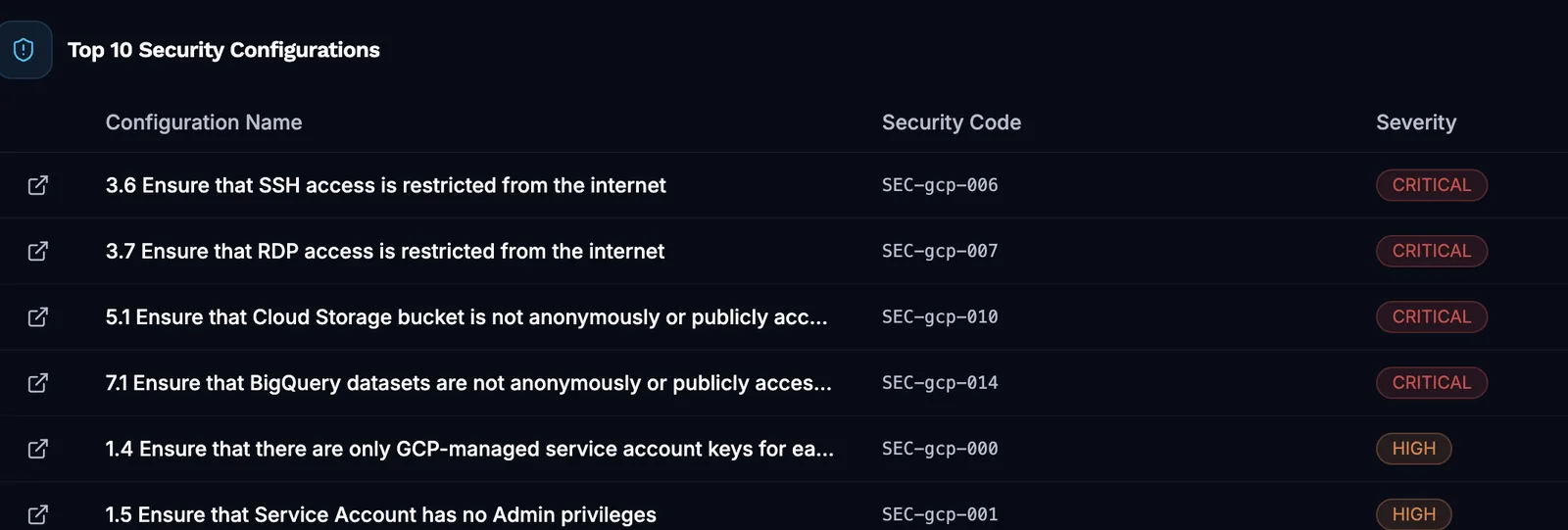
- A severity for every finding: Critical, High, Medium, Low or Informational
Connect a project, get results within 24 hours
Step 1: Create a service account
In your project, create a service account with the Viewer role. Create and download a JSON key for it. The Viewer role gives SeqOps read-only access.
Step 2: Enable two APIs
Enable the Cloud Resource Manager API and the Compute Engine API. Both are off by default on new projects. Without them, the connection test fails. SeqOps has buttons to enable them.
Step 3: Connect and review
Enter the Project ID, Service Account Email and private key in SeqOps, then test and save. Findings appear within 24 hours (6–24 hours), ranked by severity.
What you get
One view across clouds
Google Cloud findings sit in the same list as AWS, Azure and your Windows and Linux servers. One severity scale lets you compare them directly.
A dashboard per provider
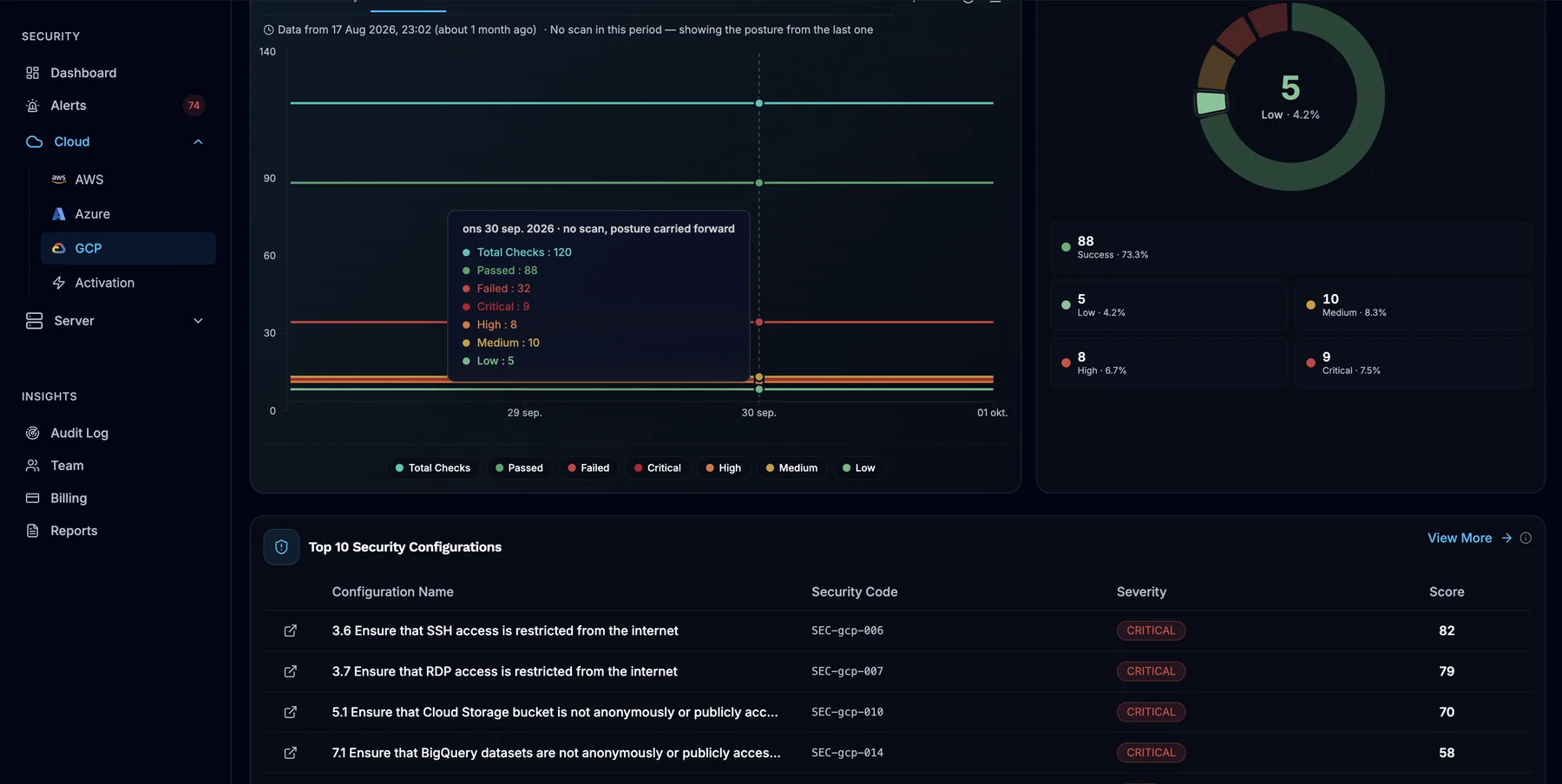
The Google Cloud dashboard shows severity distribution, total checks, pass/fail ratios and weekly trends. It also shows resource discovery and inventory by region.
Guidance on every alert
Each alert explains the issue and how to fix it, with AI-powered analysis. Assign it to a team member and track it from New to Resolved. Send alerts to email, Slack, Microsoft Teams, Jira, ServiceNow or a webhook.
Evidence for audits
Check your configuration against the compliance frameworks in your plan. Scheduled PDF reports and CSV, PDF or Excel exports support your audit preparation.
Read-only by design
SeqOps connects through a service account with the Viewer role, which gives read-only access. It can't change your cloud configuration.
The private key is encrypted before storage. SeqOps collects configuration metadata only, stored in AWS eu-north-1 (Stockholm).
Connections use TLS in transit, and sign-in supports multi-factor authentication. Compliance frameworks are the standards SeqOps checks against, not certifications held by SeqOps. Admin actions and partner sessions are recorded in each organisation's audit log.
Visit the Trust CenterFrequently asked questions
What access does SeqOps need in Google Cloud?
Why does my connection test fail with a valid key?
Can I connect a whole Google Cloud organisation at once?
Can SeqOps scan my Compute Engine instances for software vulnerabilities?
How soon will I see results?
Read the guides
Related on the platform
- AWS scanning
Read-only checks for misconfigurations and vulnerabilities in your AWS accounts.
- Cloud security dashboard
One dashboard for AWS, Azure, Google Cloud and server findings, ranked by severity.
See what’s exposed in your cloud and servers
Start your 14-day free trial and get your first results within 24 hours.